7 Cool & Useful New Features For Android Smartphones and Wear OS

Google has released another Android 13 feature drop, and this time, it comes with features for both smartphone users and those who use a Wear OS smartwatch. Every year, Google releases a new version of the Android operating system, and along with it come new features for compatible devices. Not to be confused with Pixel Feature Drops, these are available to all Android devices.

The June feature drop for Android 13 users should be the last before Google rolls out Android 14 for devices later in the year. It comes with several useful features, like Reading Practice, new Emoji Kitchen stickers, Dark Web leak reports for more users, new widgets, Google Keep for Wear OS, and more. Here are the best new features for Android smartphones and Wear OS.

7. Reading Practice With Real-Time Feedback


As part of its June feature drop, Android is adding a new feature to the Google Play Books app that helps users improve their vocabulary, pronunciation, and comprehension skills for the English language. With Reading Practise, users can practice reading with on-screen text, check how a word is pronounced, look up word definitions, and much more. It's quite helpful, especially for young kids or anyone trying to learn the basics of English.

6. Emoji Kitchen Expands With Marine Animal Stickers

Android's Emoji Kitchen has been around for a while. It lets users experiment with different emojis, combine their characteristics, and create new stickers. With the latest feature drop, Android has added new aquatic-themed emoji to Gboard's Emoji Kitchen including a dolphin, shark, and whale. Users can remix these with their favorite emojis, such as teary eyes or surprise face, to get entirely new stickers from Emoji Kitchen.

5. Dark Web Leak Reports

Dark Web report, a feature announced for Google One users in March 2023, is now available for "most Google accounts in the U.S. to use on the Google One website and app." It allows users to run scans on the dark web and check whether their email address has been exposed. Further, users can also check whether other personal information, such as their social security number, is leaked on the dark web. In the coming months, the feature will roll out to more than 20 countries, says Google in a blog post.

4. Widgets For Stocks And News Headlines

The June feature drop also brings three new widgets to Android users. These widgets will help users customize their phone or tablet's home screen. The first widget offers users personalized TV shows and movie recommendations via Google TV. Another widget helps users track select stock prices with Google Finance on their home screen. Last but not least, a Google News widget helps users get curated headlines and stay updated with recent developments in the world.

3. See Pinned Notes & To-Do Lists On Wear OS

This time around, Google has also released several features for Wear OS devices. One of these features includes access to a to-do list on a smartwatch. Using Google Keep for Wear OS, users "can add a tile for fast access to a selected note or a to-do list." To see the list, users can simply swipe through their tiles. The feature will allow users to keep track of their schedule, shopping list, etc. without accessing their smartphone.

2. New Spotify Tiles For A Better Wear OS Experience

Along with the to-do list, Wear OS has also released a Spotify tile that enables users to listen to their playlists right from the smartwatch. The tile allows users to play/pause music, skip to the next/previous track and view other tracks in a playlist. Interestingly, the Spotify tile has a personal AI DJ that recommends songs based on users' preferences and streams episodes from their podcast lists.

1. Nearby Share For Windows Beta

To improve connectivity between Windows and Android devices, Google has released Nearby Share beta for Windows. The feature lets Android users share files, such as photos, videos, or documents, with their Windows PC wirelessly. Users must download the Nearby Share app on their Windows PC and set it up. Then, they can just hit Nearby Share for a file on their Android phone and select their PC from the available devices list.

Source: Google


Read More Comments

Is Samsung Galaxy Watch 4 Waterproof? What You Need To Know

Is Samsung Galaxy Watch 4 Waterproof? What You Need To Know


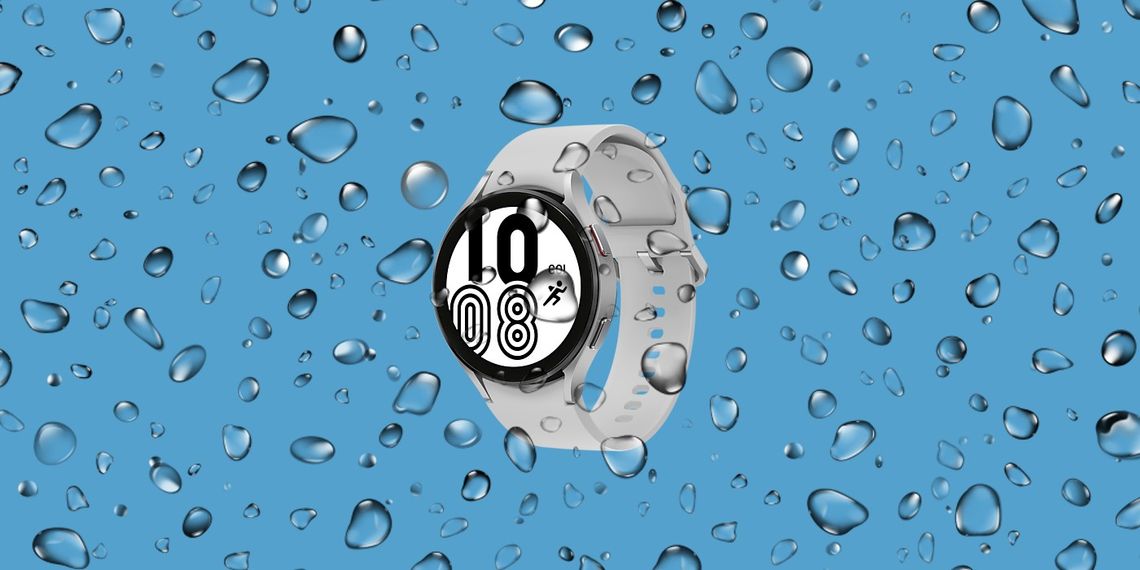
The Galaxy Watch 4 is still a great smartwatch to buy despite already having a successor in the form of the Galaxy Watch 5, but can Samsung's wearable survive encounters with water? Several Samsung smartphones have some form of water resistance, including the Galaxy Z Flip 4 and Galaxy Z Fold 4 foldables. Even Samsung's truly wireless earbuds have protection against sweat and splashes of water, making them suitable for use when working out. However, none of these products are completely waterproof.

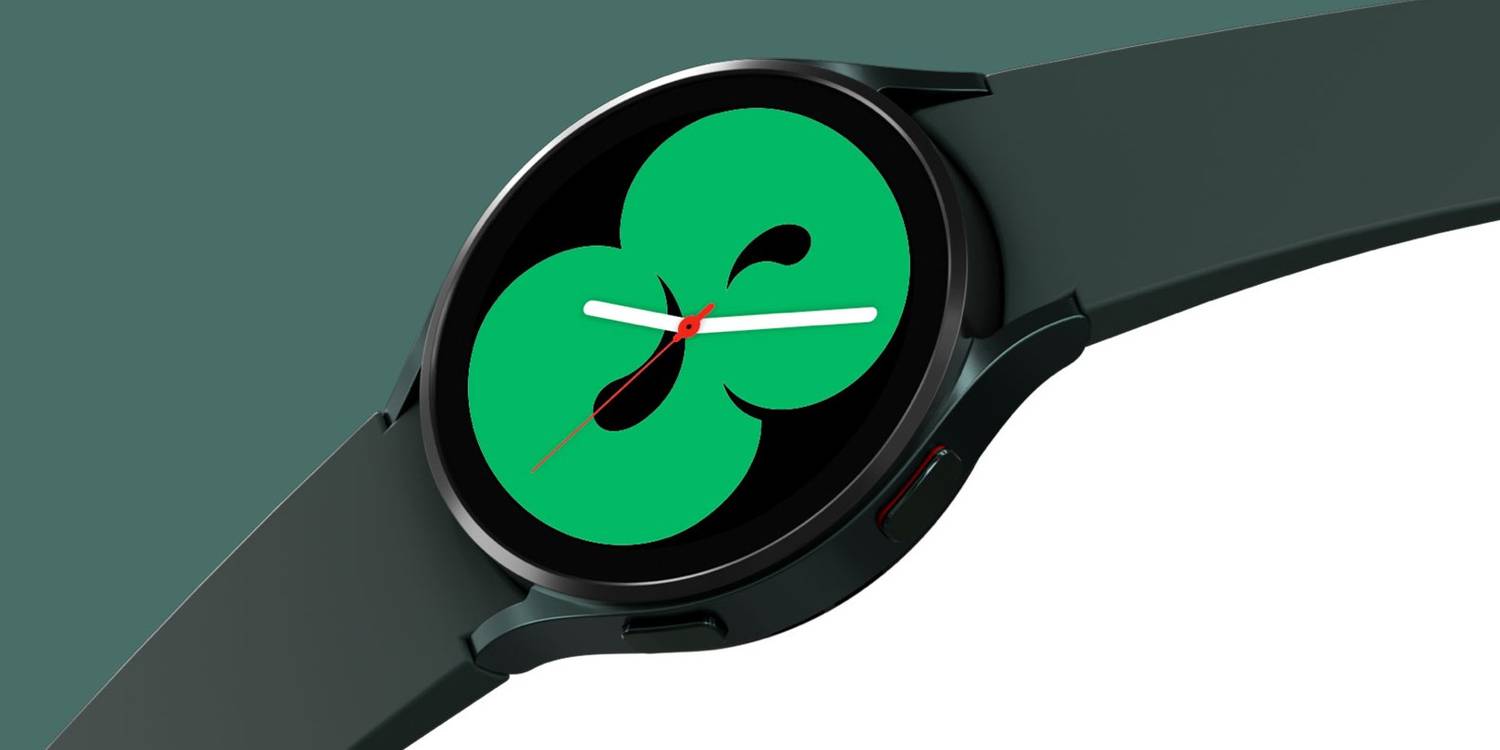
The Galaxy Watch 4 was announced in 2021 as the first smartwatch to run Wear OS 3, developed by Samsung and Google. The smartwatch packs multiple sensors and is capable of measuring heart rate, blood oxygen levels, blood pressure, and taking ECG readings. It also has a sensor for measuring body composition, similar to a smart scale. The Galaxy Watch 4 has an IP68 rating which means it can withstand dust, dirt, and sand, and is water-resistant in up to 5 feet (1.5 meters) of water for up to 30 minutes. This level of water resistance makes the Galaxy Watch 4 suitable for use in diverse wet conditions.

Not All Listed Water Sports Modes Are Safe


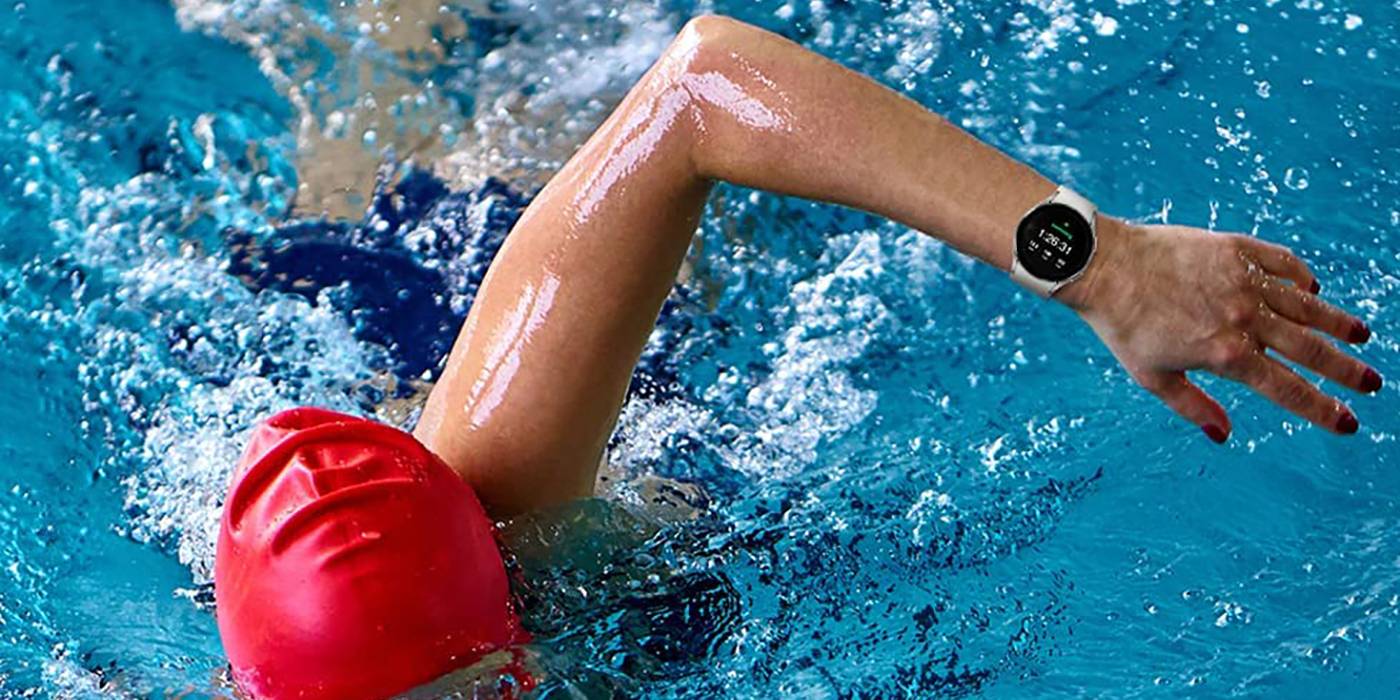
The Galaxy Watch 4 can be worn in the rain, submerged underwater, and even track some water-based activities. However, users should keep in mind that Samsung warns on a support page that “the watch is not intended for scuba diving.” It also suggests that users avoid high-velocity activities like water-skiing, windsurfing, kite surfing, and rafting. That's despite listing these activities within its supported sports modes, which include swimming, aqua aerobics, canoeing, kayaking, kite surfing, rafting, rowing, sailing, scuba diving, snorkeling, water-skiing, and windsurfing. To be safe, users should avoid wearing their watch when partaking in deep water or high-velocity activities.

Thus, it is advised that the Galaxy Watch 4 be limited to tracking swimming, canoeing, and aqua aerobics, as these are not high-velocity activities. In addition, it is recommended that the watch is rinsed in fresh water after using it in seawater. This is to remove the salt from seawater which can cause corrosion. After coming in contact with water, users should dry the watch with a clean and soft towel. It should also not be charged when wet.


Can You Shower With Your Galaxy Watch 4 On?


This level of water-resistance means the Galaxy Watch 4 is safe to wear in the shower, too. That’s good news for those who almost never take their watch off, eliminating one extra step (or the possibility of a broken device in forgetful moments) when it’s shower time. However, Samsung notes that the watch should not be exposed to water at high-pressure levels such as water from a high-pressure tap or hose, so users should be mindful.

Whether swimming or hopping into the shower, it’s best to turn on the Water Lock Mode to keep the device protected and prevent accidental inputs from the water touching the screen. This can be done by opening ‘Quick settings’ and tapping the icon for ‘Water lock mode.’ Users can also enable it by going to ‘Settings’ from the Home screen, then ‘Advanced features,’ and tap the ‘Water lock’ toggle. Initiating certain workout modes, like swimming, will turn this on automatically. Galaxy Watch 4 users should also note that their smartwatch can lose its water resistance if it is dropped on the floor and suffers structural damage.

Source: Samsung
Read More Comments

Apple Oceanic+ app is now available on Watch Ultra

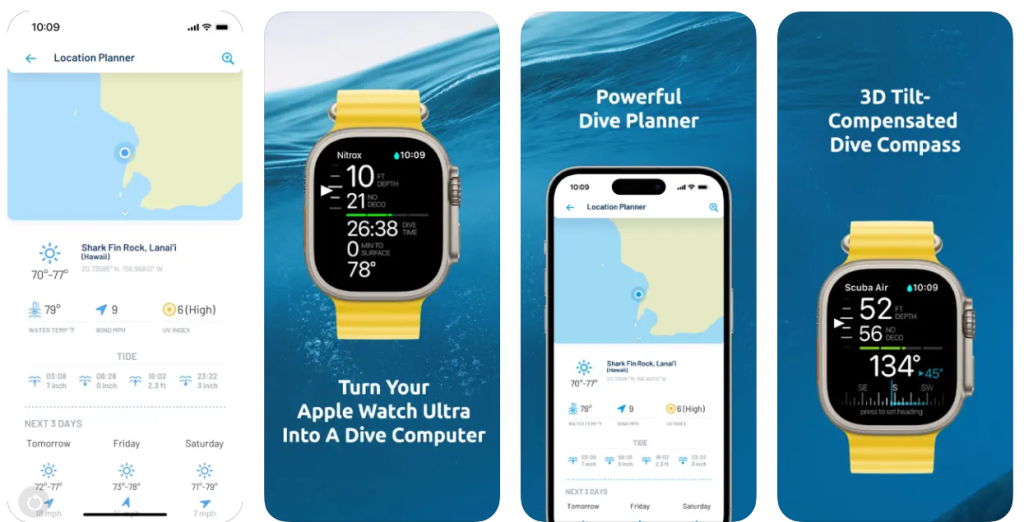
Apple has launched Oceanic+ application for the Apple Watch Ultra beginning today. Designed by Huish Outdoors in partnership with Apple, this application acts as a dive computer for recreational scuba diving to depths of up to 40 metres (130 feet).


When the first scuba divers took to the oceans in the 1950s, dive computers were 30 years away, according to Apple. Many certified divers still created their own dive tables in the 1980s and 1990s. Using the Bühlmann decompression algorithm, they tracked their depth and time in the water to avoid overdosing on nitrogen.


Today, Apple Watch Ultra simplifies this experience, giving recreational divers more comfortable, accessible technology with the Oceanic+ Dive Computer App.


Oceanic+ Dive Computer App

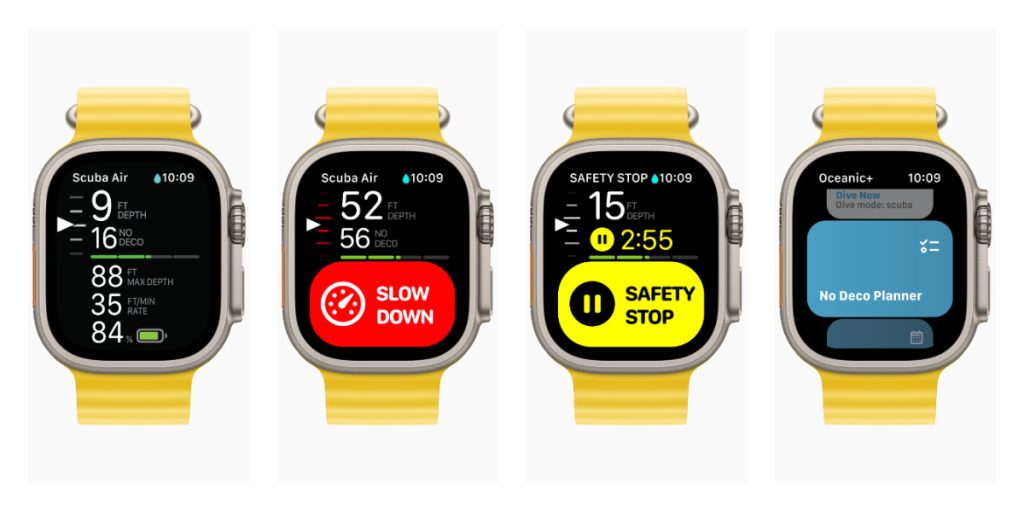
Oceanic+ offers a variety of dive data, including the diver’s current depth, dive time, no-decompression duration, water temperature, time to surface, maximum depth, ascending speed, battery life, gas mix choice (air or Nitrox mix up to 40%), and more.


The app also features color-coded safety warnings for things like exceeding the no-decompression limit, ascending too quickly, and stopping too soon.

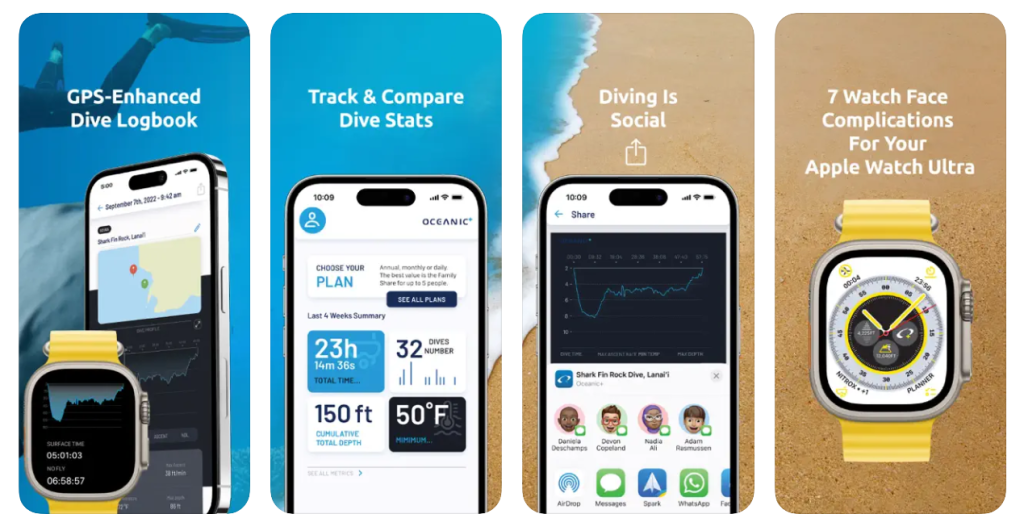
The app also provides haptic feedback and watch face complications for things like no-fly time, surface time, speedy accessibility to the dive planner, dive settings, current elevation, maximum elevation allowed, and a speedy access button back into the app.

Once the dive is over, the watch shows the user’s dive profile and other information, such as the GPS coordinates of where the dive started and ended.

More comprehensive dive summaries, tidal predictions for the next three days, and more may be found in the companion Oceanic+ app for the iPhone.


Availability

Starting today, users can get the Oceanic+ app for Apple Watch Ultra from the App Store. The app supports an Apple Watch Ultra with watchOS 9.1 or later and an iPhone 8 or later with iOS 16.1 or higher.


The app’s free plan includes depth, time, and a dive record. Decompression tracking, tissue loading, limitless logbook capacity, and more cost $9.99 (Rs. 815 approx.) per month or $79.99 (Rs. 6,527 approx.) per year.


Speaking on the announcement, Mike Huish, CEO of Huish Outdoors, said:


One of our first goals was to keep it intuitive. People who know how to use an Apple Watch already know how to use this dive computer, because it’s telling them things in a simple format they can understand.


Speaking on the Oceanic+ app for the iPhone, Andrea Silvestri, Huish Outdoors’ Vice President of Product Development and Design, said:


There’s now a companion that communicates clear and timely information to divers. Sound propagation in the water is much more powerful than in air. So if I’m diving with someone and their dive computer is emitting sound, I can’t really recognize if it’s my beep or it’s theirs. I’m hearing a beep, but I don’t know the direction. Incorporating the haptics designed for Ultra, we’ve made the experience very personal; it’s like a gentle nudge to guide you.

Read More Comments

Fire-Boltt Ninja Call Pro Plus with 1.83″ display, Bluetooth calling launched at an introductory price of Rs. 1,999


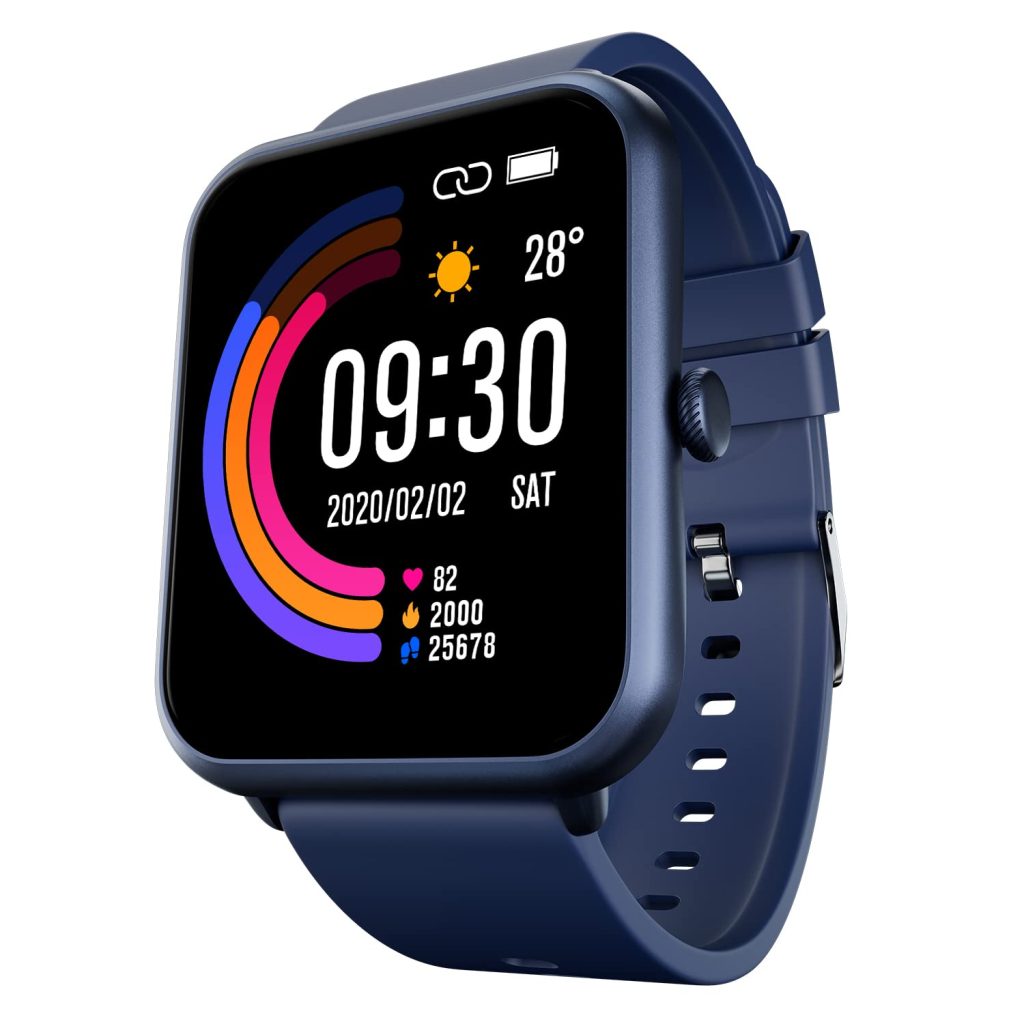
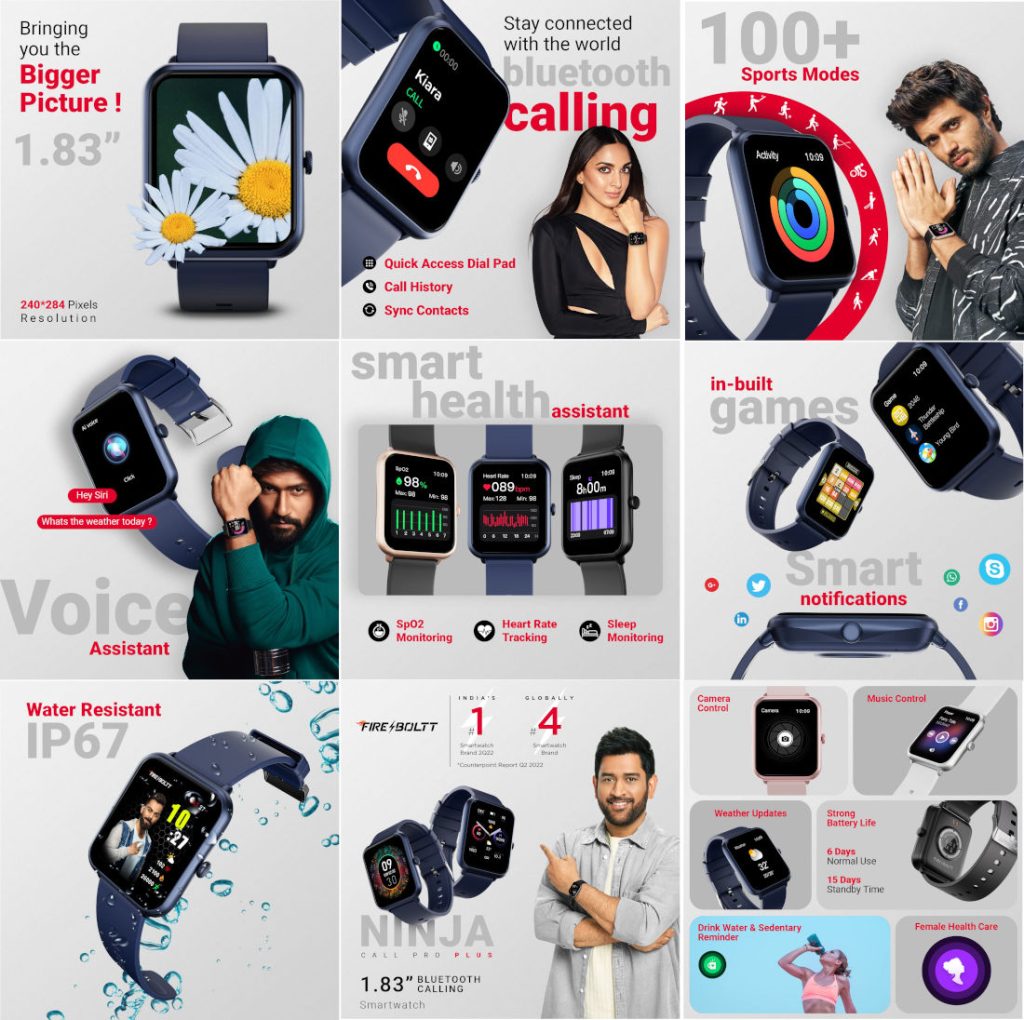
Fire-Bolt has added another smartwatch with calling features to its wearable line-up. The Fire-Boltt Ninja Call Pro Plus is the company’s newest offering, and it has features such as a 1.83-inch display, Bluetooth calling, 100+ sports modes, up to 6 days of battery life, and more.

The Fire-Boltt Ninja Call Pro Plus will provide advanced health-tracking metrics, thanks to the presence of SpO2, heart rate, and sleep monitoring. The watch is ready to withstand sweat, water, and dust as it has an IP67 rating.


The smartwatch can provide notifications, weather, and AI voice assistant support, as well as built-in games for playing. It is claimed to provide 6 days of battery life in normal use and up to 15 days of standby battery life


Fire-Boltt Ninja Call Pro Plus specifications

1.83-inch (240 x 280 pixels) LCD screen

100+ sports mode

Heart rate, SpO2, and Sleep monitoring

Activity Tracker, Calorie Tracker

Bluetooth Calling support

Built In Mic and Speaker

IP67 water and dust resistant

Smart Notifications, Voice Assistant, Games, Find Phone, Camera Control, Music Player, Alarm Clock

up to 6 days battery life on normal use

Pricing and availability

The Fire-Boltt Ninja Call Pro Plus comes in black, gold black, pink, grey, and navy-blue colours at an introductory price of Rs. 1,999. The smartwatch is already on sale in Amazon.in and Fire-Boltt website.

Read More Comments